You can write the best email in the world… and still get terrible results.
Not because your offer is bad. Not because your subject line is weak.
Sometimes it’s because your list needs a cleanup.
Think of email list cleaning like washing your car windshield. The road doesn’t change—your visibility does. Suddenly everything works better.
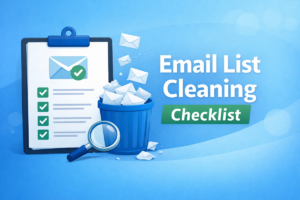
Below is a simple, practical email list cleaning checklist you can follow before any campaign—newsletter, promotion, cold outreach, whatever.
What you’ll get from this: fewer bounces, fewer headaches, cleaner reporting, and a better chance of reaching real inboxes (without overcomplicating things).
Quick checklist (scan this before you send)
If you’re in a hurry, this is the “pre-flight” version. Details come right after.
- ☐ Make a backup copy of your list
- ☐ Remove duplicates (dedupe)
- ☐ Remove unsubscribes + complaints (suppression list)
- ☐ Fix obvious typos and formatting issues
- ☐ Remove obvious junk (test@, fake@, “[email protected]”, etc.)
- ☐ Verify the list (bulk verification)
- ☐ Segment results into Safe / Risky / Remove
- ☐ Send to your best segment first (warmest contacts)
- ☐ Confirm basics: From name, reply-to, and unsubscribe link
- ☐ Monitor bounces/complaints early and pause if something looks off
Rule of thumb: If you wouldn’t bet your sender reputation on it, don’t email it.
Step-by-step: Email list cleaning (the exact process)
Step 0: Know what you’re sending (because the rules change)
Before you clean anything, answer one question:
What type of email is this?
- Newsletter / marketing to subscribers (permission-based)
- Cold outreach (higher reputation risk if you bounce)
- Transactional (order receipts, account emails—critical deliverability)
The steps below apply to all of them, but cold email and transactional email require extra caution because your reputation can be affected faster.
Step 1: Make a clean backup (seriously)
Download your list and save a copy called something like:
my-list_BACKUP_YYYY-MM-DD.csv
This takes 10 seconds and saves you from “oops, I deleted the wrong segment” disasters.
Step 2: Normalize your list (so it doesn’t fight you later)
Quick formatting cleanup:
- Trim spaces (emails like “[email protected] ” should be fixed)
- Lowercase emails (not required, but keeps things consistent)
- Make sure you have one email per row
- Remove extra columns you don’t need for the campaign
If you’re using a CSV, keep the header simple: email, first_name, company, etc.
Step 3: Deduplicate (save budget + avoid double-sending)
Duplicates cause two problems:
- You pay to verify the same email twice (wasted money)
- You might send the same campaign twice (wasted trust)
Best practice: dedupe by email address before verification and before importing into your sending platform.
Step 4: Apply your “Do Not Email” rules (suppression list)
This is one of the most overlooked steps—and one of the most important.
Remove (or suppress) anyone who:
- Unsubscribed
- Marked you as spam
- Bounced repeatedly in the past
- Asked to be removed
Tip: Keep a separate file called suppression_list.csv and use it across future campaigns. That way you don’t “accidentally” re-import them later.
Step 5: Remove obvious garbage (the “come on…” emails)
You’ll often find addresses that technically look like emails but are clearly junk:
- [email protected]
- [email protected]
- [email protected]
- [email protected]
- random strings that look auto-generated
These almost never convert, and they often increase risk. Remove them.
Step 6: Fix common typos (easy wins)
Typos are “free conversions” waiting to happen. People often mean well—they just type fast.
Common examples:
- gmial.com → gmail.com
- hotmial.com → hotmail.com
- yaho.com → yahoo.com
Some verification tools can catch these. If you spot them manually, fix them before verifying (so you don’t waste checks on a typo).
Step 7: Verify the list (bulk email verification)
This is the step that does the heavy lifting: email verification.
Verification checks whether an address is likely reachable and flags risky patterns (like disposable emails or catch-all domains).
Important: No tool can promise perfect accuracy or guarantee inbox placement—some mail servers intentionally reveal less information. The goal is risk reduction.
If you need a quick refresher on what verification is and how it works, link this in your blog:
Email Verification 101: What It Is, Why It Matters, and How It Works
Step 8: Segment results into Safe / Risky / Remove
Here’s where people either win or sabotage themselves.
Do not verify your list… and then send to everyone anyway.
Instead, split the list like this:
✅ Safe segment
- Valid / Safe emails
Use for: your first send (protects reputation).
⚠️ Risky segment
- Catch-all / Accept-all
- Role-based emails (info@, sales@, support@) — depending on your use case
- Unknown results
Use for: careful sending only if needed (and ideally after the safe segment performs well).
❌ Remove segment
- Invalid
- Disposable/temporary (in most businesses)
Use for: removal/suppression. No second chances.
Practical tip: If you’re doing cold outreach, be stricter. If you’re emailing confirmed subscribers, you can be a bit more flexible—but still don’t ignore invalids.
Step 9: Do a “deliverability pre-flight” before sending
You don’t need to become a deliverability expert to do the basics:
- ☐ Your From name is recognizable
- ☐ Your Reply-to goes to a real inbox (someone is watching it)
- ☐ You have a clear unsubscribe link (and it works)
- ☐ You’re not sending from a brand-new domain at full volume on day one
If you have control over technical setup, also make sure your domain authentication is configured (SPF/DKIM/DMARC). It’s one of the best long-term investments you can make for inbox placement.
Step 10: Send smart (don’t blast everything at once)
Even with a clean list, the safest approach is:
- Send to your best segment first (the Safe segment, or your most engaged subscribers).
- Watch early results: bounces, complaints, replies, unsubscribes.
- If something looks wrong, pause and investigate before sending to the rest.
This isn’t paranoia—it’s how you protect your sending reputation like a professional.
“If I only have 10 minutes” version
No shame. Here’s the quick path:
- Deduplicate
- Remove suppression list (unsubs/complaints)
- Verify
- Send to Safe segment first
That alone can prevent most avoidable deliverability damage.
Common mistakes that quietly ruin campaigns
- Cleaning after you import (you already paid and polluted your ESP/CRM)
- Verifying but not segmenting (verification only helps if you act on results)
- Re-adding unsubscribes by importing old files
- Treating catch-all as “safe” without caution
- Assuming verification guarantees inboxing (it doesn’t—still worth doing)
- Never re-verifying (lists go stale over time)
Want to clean your list faster (and with less guesswork)?
You can do parts of list cleaning manually, but verification and segmentation are where tools save you the most time.
Reoon Email Verifier can help you verify emails in bulk, identify risky addresses, and export clean segments—so you can send with more confidence.
Clean your email list with Reoon
Tip: Start with a small sample first (200–500 emails) to get a quick “health check” on your list.
FAQ
How often should I clean my email list?
It depends on how fast your list changes. If you collect leads daily, clean more often (and consider real-time verification at signup). If your list is stable, periodic maintenance is still smart—especially before major sends.
Should I delete role-based emails like info@ and support@?
Not always. For B2B, role emails can still convert. The better approach is to segment them and decide based on your campaign goals.
What should I do with “unknown” results after verification?
Treat unknown as higher risk. Many teams retry later or only email that segment if the upside is worth it and always after sending to the safest group first.