


You verified your list. The tool said it’s valid. You hit send… and still got bounces. If that’s you, take a breath. This is one of the most common “Wait… what?!” moments in email marketing.
Here’s the truth (and it’s good news): email verification is still absolutely worth doing because it prevents a huge amount of avoidable bounce problems.
But here’s the other truth (the trust-building one): no email verifier on earth can guarantee zero bounces.
In this article, you’ll learn exactly why “valid” emails can still bounce, what verification can and can’t confirm, and the practical steps you can take to get bounces as low as realistically possible, especially when using Reoon Email Verifier.
First, what does “valid” actually mean?
This is the root of a lot of confusion.
Different tools (and even different modes inside the same tool) use the word “valid” in different ways. Sometimes it means:
- “The email format looks correct” (syntax valid)
- “The domain exists and has mail servers” (MX valid)
- “The server accepts mail” (domain acceptance)
- “This specific mailbox is likely reachable” (deeper mailbox-level signals)
Those are not the same thing.
In Reoon Email Verifier, you’ll see richer outcomes than just “valid/invalid.” For example (Power Mode / Dashboard results):
- Safe (good personal inbox)
- Role (valid, but a role inbox like support@)
- Catch-All (domain accepts all addresses; inbox existence can’t be proven)
- Invalid, Disabled, Inbox Full, Disposable, Spamtrap, Unknown
So if you’re using the word “valid,” the better question is:
Valid in what sense? Syntax-valid? Domain-valid? Or safe-to-send for this campaign?
Step 1: Check whether it’s a hard bounce or a soft bounce
Not all bounces are created equal.
- Hard bounce usually means the address is not deliverable (non-existent mailbox, invalid domain, etc.).
- Soft bounce usually means the delivery failed temporarily (mailbox full, rate limiting, server busy, temporary block). Also in many cases, this is just a reply email saying that the email wasn’t delivered.
If you want the full breakdown with examples, link this internally:
Hard Bounce vs Soft Bounce: Definitions, Causes, and Fixes
Why this matters: A verified email that soft-bounces isn’t necessarily “wrong.” The mailbox may be real, but something prevented successful delivery in that moment.
Why “valid” emails still bounce (the real reasons)
Let’s break this down into the most common categories. This will also help you troubleshoot faster because you can usually spot the category from your bounce logs.
Reason #1: You verified using a fast mode that doesn’t check inbox status
If you verified via API using Quick Mode, remember:
- Quick Mode is designed for real-time speed (around 0.5 seconds)
- It checks syntax, disposable emails, MX, domain acceptance, role accounts, etc.
- It does NOT verify individual inbox status
So an email can look “valid enough” to pass Quick Mode checks, but still bounce later due to inbox-level issues (disabled mailbox, deeper server behavior, etc.).
Fix: Use Power Mode (or the dashboard verification, which uses deep verification internally) when you’re preparing a list you plan to email.
If you want a simple guide for choosing modes, link this internally:
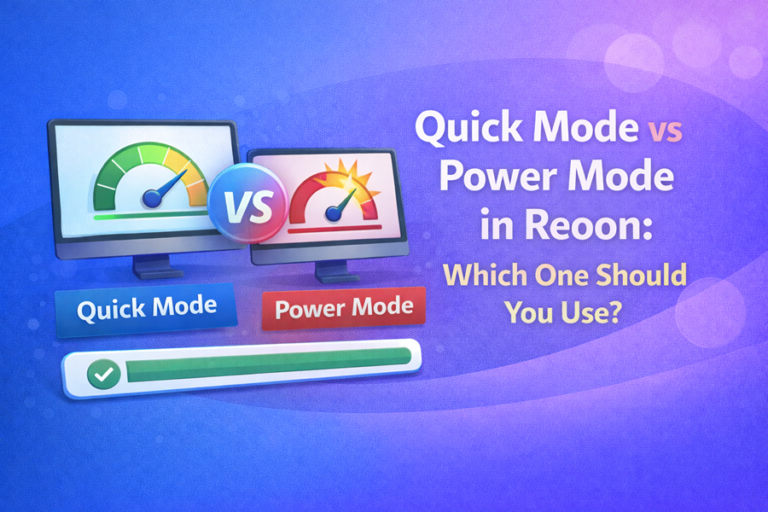
Quick Mode vs Power Mode in Reoon: Which One Should You Use?
Reason #2: Catch-all (accept-all) domains can’t be “fully verified” by any tool
Catch-all domains are tricky. The domain’s mail server accepts emails for any address, real or fake, so the verifier cannot reliably confirm whether that specific mailbox exists.
This is why catch-all emails can appear deliverable and still lead to problems later (soft bounces, silent drops, or unpredictable handling).
Fix: Segment catch-all addresses and treat them as higher risk. Don’t mix them into your safest sending segment.
Check the explanation is here: Catch-All Email Address and Safety
Reason #3: Recipient servers can be slow, busy, or protective (leading to “Unknown” or later bounces)
Some mail servers simply don’t respond reliably to verification attempts. They may be:
- Busy or slow
- Misconfigured internally
- Behind strict firewalls
- Designed to reveal as little information as possible
In those cases, you may see Unknown in verification results, or you might see an email pass checks but still bounce later due to inconsistent server behavior.
Fix:
- Keep “Unknown” separate and re-verify after 15-30 minutes
- Only send to Unknown if you accept higher risk
Note: Unknown statuses are automatically refunded (credits are refunded for Unknown), which is Reoon’s way of being fair when a definitive status can’t be confirmed.
Reason #4: Inbox full, temporary blocks, and rate limits (soft bounces)
Sometimes the email is real, but the delivery fails because of temporary conditions like:
- Inbox full (the mailbox can’t accept new messages)
- Rate limiting (you sent too many emails too fast)
- Greylisting (temporary rejections to reduce spam)
- Temporary server issues (recipient server is down or overloaded)
Fix:
- Slow down your sending speed
- Send in smaller batches
- Prioritize your safest segment first
- Don’t keep retrying the same addresses forever if they repeatedly soft-bounce
Reason #5: Your sending setup can cause bounces even with “good” addresses
This surprises people: you can have a perfect list and still get bounces if your sending setup is problematic.
Common setup issues include:
- SPF not configured correctly
- DKIM not configured correctly
- DMARC misalignment
- rDNS / reverse DNS problems
- HELO/EHLO issues
- Not following certain RFC email standards
Fix: If you control your sending domain and infrastructure, make sure your authentication and sending configuration are set up correctly. This is one of the highest-impact deliverability improvements you can make.
Reason #6: Your sending IP/domain reputation may be restricted
Mailbox providers and spam filter companies sometimes restrict or throttle senders based on reputation. If your IP or domain is flagged, you might see:
- More blocks and deferrals (soft bounces)
- Higher delivery failures even to real inboxes
Fix: Improve reputation through gradual sending, consistent engagement, proper authentication, and list hygiene. If you’re sending cold emails at volume, domain/IP warm-up matters a lot.
Reason #7: Your email content can trigger spam filters or policy rejections
Yes, content can contribute to “bounce-like” failures, especially with strict providers and filters.
Common triggers include:
- Too many links
- Heavy HTML formatting
- Third-party tracking links that look suspicious
- Spammy language patterns
Fix: Keep emails clean, natural, and lightweight, especially in cold outreach. If you use links, make sure they’re high-quality and not overloaded with tracking.
How to reduce bounces in practice (a simple playbook using Reoon)
Here’s the “do this, then this” approach that works for most teams.
1) Verify using the right method for the job
- Sending a campaign / cleaning a list: Use the Reoon dashboard bulk verification (deep verification internally) or API Power Mode.
- Real-time signup checks: Use API Quick Mode to keep UX fast, then optionally do deeper verification later.
2) Segment results instead of sending to everyone
When your task completes in the dashboard, download segments like:
- Safe Only or Safe + Role (best starting point)
- Catch-All separately (higher risk)
- Unknown separately (re-verify later)
- Invalid excluded (remove/suppress)
This is where a lot of people accidentally sabotage themselves: they verify… and then email the whole list anyway. Segmentation is what turns verification into real deliverability improvement.
3) Use the overall score (0-100) to set your risk tolerance
Reoon provides an overall_score that helps you decide how strict you want to be.
A simple rule of thumb:
- 90+ = very safe
- 80-90 = low risk
- 70-80 = higher risk (still may deliver, but be cautious)
- Lower scores = treat as progressively riskier
If you’re doing cold email, consider being stricter (for example: start with 90+ and expand only if performance is healthy).
4) Re-verify “Unknown” instead of guessing
Unknown is often temporary. Re-verify after 15-30 minutes and you may get more confirmed statuses.
This is an easy win, and since Unknown credits are refunded, you’re not punished for a server that didn’t respond.
5) Fix your sender setup and sending behavior
Verification is one pillar. The other pillar is how you send.
- Make sure SPF/DKIM/DMARC and basic sending configuration are correct
- Don’t send too many emails in a short time (especially on new domains)
- Avoid overly heavy HTML and excessive tracking links
- Warm up IP/domain if you’re ramping up cold outreach
Quick troubleshooting: “Verified as Safe, but still bounced”
If you’re seeing bounces from emails you believe are safe, run this quick checklist:
- At first, try finding the detailed bounce report, which will give the most valuable information.
- Was it a hard bounce or soft bounce? (Soft bounces can be temporary.)
- How was it verified? If it was API Quick Mode, that doesn’t check inbox status.
- Was it a catch-all domain? Treat catch-all as higher risk.
- Did you verify recently? Old verification results go stale: emails can change within a day.
- Are you sending too fast or from a new domain? Throttles and blocks look like “deliverability failures.”
- Check your setup: SPF/DKIM/DMARC/rDNS/HELO issues can cause problems even with good lists.
Want to verify a list the “safe way”?
If you want to avoid mismatched expectations, here’s the simplest safe workflow:
- Verify your list in the Reoon dashboard (deep verification internally)
- Download Safe Only or Safe + Role for your first send
- Keep Catch-All and Unknown separate
- Remove/suppress Invalid
Free registration (no card required): Create your Reoon account here
FAQ
Does Reoon guarantee zero bounces?
No email verifier can guarantee zero bounces. Reoon is designed to dramatically reduce bounces by verifying emails and providing detailed segmentation but bounces can still occur due to temporary server issues, sending setup problems, rate limits, content filters, and catch-all behavior.
Can a “Safe” email still soft-bounce?
Yes. A mailbox can be real and still soft-bounce due to inbox full, temporary server issues, throttling, or greylisting.
What’s the #1 reason people see “valid” emails bounce?
A very common reason is using a shallow/fast validation method (like API Quick Mode) for decisions that require deep verification. Quick Mode is built for speed and does not verify individual inbox status. However, the most important factor is the content itself. If your email contents are poorly written or look much like an advertisement, there is a very high chance that many email servers will block your email and it will bounce because of that.
What should I do with catch-all results?
Segment them. Catch-all domains accept mail for any address, so individual inbox existence can’t be reliably confirmed. Treat catch-all as higher risk and don’t mix it into your safest sending segment.
What should I do with Unknown results?
Keep them separate and re-verify after 15-30 minutes. Unknown means the server didn’t respond reliably during verification. In many cases, a second attempt provides more confirmed results. Credits for Unknown are automatically refunded.
How often should I re-verify my list?
Re-verify before major campaigns, when importing new leads, and whenever a list has been sitting for a while. Email statuses can change quickly, so older verification results become less reliable over time.