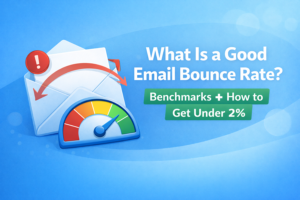
If email deliverability had a “check engine light,” bounce rate would be one of the first warnings. You can get away with a little noise. But when bounce rate climbs, things can go downhill fast. Lower inbox placement, wasted spend and sometimes even account restrictions from your email platform.
In this guide, we’ll keep it simple and practical:
- What bounce rate actually means (hard vs soft bounces)
- What a “good” email bounce rate looks like in real life
- How to get your bounce rate under 2% (step-by-step)
- A quick troubleshooting checklist if you’re already over the line
First: What is email bounce rate?
Email bounce rate is the percentage of emails that could not be delivered after you hit send.
A common way to calculate it is:
Bounce rate (%) = (Total bounces ÷ Total emails sent) × 100
Bounces usually fall into two buckets:
Hard bounces (the serious kind)
Hard bounces typically mean the email is not deliverable, things like:
- The address doesn’t exist
- The domain is invalid or doesn’t accept email
- The mailbox is permanently unavailable
Hard bounce rule: treat these as “remove immediately.” Re-sending to hard bounces is one of the quickest ways to hurt your server’s sender reputation.
Soft bounces (the “maybe later” kind)
Soft bounces are often temporary. Examples:
- Mailbox is full
- Temporary server issue
- Your sending volume triggered a short-term block/throttle
- The message was too large
Soft bounce rule: don’t panic, but don’t ignore them either. Repeated soft bounces can become a reputation problem. Sometimes they are just a reply email saying that the email had an issue, which is not actually a bounce.
Simple mental model:
Hard bounce = “this address is bad.”
Soft bounce = “this attempt failed.”
What is a good email bounce rate?
Benchmarks vary by industry, list source and email type (newsletter vs cold outreach vs transactional). But if you want a practical target that keeps you out of trouble:
- Excellent: under 0.5%
- Good/healthy: 0.5% to 2%
- Warning zone: 2% to 5% (time to stop and clean)
- High risk: over 5% (pause sending and fix the list/source)
If you’re sending cold emails, I’d be even stricter. Cold outreach is less forgiving because you’re often mailing new contacts and (sometimes) newer domains. Many teams aim for under 1% total bounces in cold outreach when they can.
Bottom line: under 2% is a strong general goal. It’s simple, it’s realistic, and it’s usually a “safe zone” for most senders.
Why bounce rate matters (the part people learn the hard way)
Bounces aren’t just annoying. They’re signals.
When mailbox providers and email platforms see a sender hitting lots of bad addresses, they can interpret it as sloppy list management—or worse, spammy behavior.
Here’s what high bounce rates can lead to:
- Lower deliverability (more emails landing in spam)
- Reduced sending performance (throttling or blocks)
- Wasted campaign budget (especially if you pay by volume or list size)
- Bad data in your CRM and reports
- Account warnings or restrictions from some email platforms
So yes, bounce rate is a metric worth taking seriously.
How to get your bounce rate under 2% (step-by-step)
Let’s get practical. This is the exact process that works for most teams.
Step 1: Stop guessing—identify where your list came from
Be honest here, because the list source explains a lot:
- Opt-in subscribers usually bounce less (if you maintain the list)
- Old CRM exports often contain stale emails
- Scraped/purchased lists commonly produce high bounce rates (and other deliverability problems)
If your list source is risky, you’ll need to be stricter with cleaning and segmentation.
Step 2: Remove duplicates (it’s an easy win)
Deduping reduces bounces in two ways:
- It prevents repeat sending (which can amplify problems)
- It makes results cleaner when you analyze performance
Step 3: Apply suppression lists (unsubscribes, previous bounces, complaints)
Before you do anything fancy, remove people who should never be emailed again:
- Unsubscribes
- Spam complaints
- Previous hard bounces
This step protects you immediately—sometimes it’s the difference between “fine” and “oh no.”
Step 4: Verify your list before you send
This is the big one. Email verification helps you catch invalid addresses and risky patterns before they cause bounces.
When you verify, don’t just look at a single “valid/invalid” label. Use the results to make sending decisions.
If you want the simplest safe approach:
- Send first to your Valid/Safe segment
- Be careful with catch-all and unknown (segment these as higher risk)
- Remove invalid emails
Need a refresher on verification basics? Link this internally:
Email Verification 101: What It Is, Why It Matters, and How It Works
Step 5: If you’re over 2%, don’t “blast and hope” — reduce risk first
This is where the loss prevention mindset matters.
If you’re already seeing bounce rates above 2%, the risky move is sending again to the full list. The smarter move is:
- Verify the list
- Send only to the safest segment first
- Watch bounces early
- Expand slowly if results look healthy
Step 6: Handle soft bounces properly (don’t keep retrying forever)
Soft bounces happen. The key is how you handle repeats.
A practical rule:
- If an address soft-bounces once, you can try again later.
- If it soft-bounces repeatedly across multiple sends, treat it as risky and suppress it.
This reduces “slow leaks” that quietly push bounce rate upward over time.
Step 7: Clean out inactive contacts (yes, this affects bounces too)
This sounds unrelated, but it matters.
Lists that aren’t maintained tend to have more stale addresses. Plus, engagement impacts deliverability. If you’re emailing people who never engage, providers learn to distrust your emails.
A simple approach:
- Run a re-engagement campaign for inactive contacts
- Remove/suppress those who never respond (after a reasonable effort)
Step 8: Prevent bad emails at the point of entry
If you collect emails through forms, this is a huge lever:
- Block obvious typos (gmial.com-type mistakes)
- Block disposable emails (if it fits your business model)
- Use double opt-in if quality matters more than volume
This keeps your list clean in the future—so you’re not constantly cleaning the same mess.
Step 9: Check your sending setup (authentication and basic hygiene)
If your setup is weak, you can see more soft bounces and blocks.
At minimum, make sure your domain authentication is configured (SPF/DKIM/DMARC) and your sending behavior is reasonable (especially if you’re ramping volume).
Step 10: Use the “small batch test” before big sends
Before you email your entire list, send to a smaller, safer segment first:
- Your most engaged subscribers
- Or your “Valid/Safe” verified segment
If bounce rate is healthy there, you’re in a better position to scale the send.
Quick troubleshooting: why is my bounce rate high?
If you’re above 2%, here are the most common reasons:
- Old lists (stale emails from last year or older)
- Bad list source (scraped/purchased data, low-intent lead magnets)
- No verification before sending
- No suppression list (you keep re-importing unsubscribes/bounces)
- Sending too fast from a newer domain (soft bounces/blocks)
If you want a full pre-send process, you can link this internally too:
Email List Cleaning Checklist: The Exact Steps to Do Before You Send
Want a simple way to get under 2%?
If your bounce rate is creeping up, the fastest “high impact” fix is usually:
- Verify your list
- Remove invalid emails
- Segment risky emails instead of mixing them into your best list
- Send to the safest group first
- Make sure you do not send too many emails in short time
- Properly warm up your sending emails, mostly for cold emails.
Reoon Email Verifier can help you do exactly that. Verify emails in bulk, identify risky addresses and export clean segments so you can send with more confidence (without overpromising magic).
Verify your email list with Reoon
Tip: If you’re unsure, start with a small sample (200–500 emails) to check list health before verifying everything.
FAQ
Is a 2% bounce rate bad?
It’s a warning line for many senders. If you’re consistently above 2%, it’s smart to pause and clean your list—especially if you’re doing cold outreach or sending from a newer domain.
Should I remove soft bounces?
Not immediately. Soft bounces can be temporary. But if the same address soft-bounces repeatedly across multiple sends, it’s usually safer to suppress it.
Can email verification guarantee zero bounces?
No. Some bounces happen for temporary reasons, and some servers don’t reveal enough information for perfect accuracy. Verification reduces risk significantly, but it’s not a 100% guarantee.
What’s the fastest way to lower bounce rate?
Verify your list, remove invalid emails, and send first to your safest segment. That’s usually the quickest path to getting under 2%.
What other things can cause email bounce?
Your emails can get bounced even for very good addresses if you do not follow the proper sending hygiene. You must properly configure your sending email server first (which includes SPF, DKIM, DNS, rDNS and Many other factors). Sending too many emails in a short time can also cause the emails to bounce. Bad and spam-looking email content can also cause a bounce.