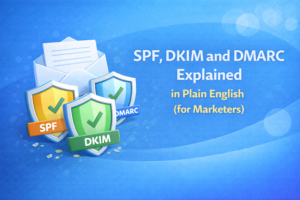
If SPF, DKIM, and DMARC sound like alphabet soup, you’re not alone. The annoying part is that these three settings can make a huge difference in whether your emails land in the inbox… and most marketers don’t touch them until something goes wrong.
The good news: you don’t need to be technical to understand what they do.
In this guide, I’ll explain SPF, DKIM, and DMARC in plain English (with simple examples), why they matter, and a quick checklist you can use to get them set up the right way.
Why this matters (in one sentence)
SPF, DKIM, and DMARC help mailbox providers trust your emails.
They’re basically your email’s “proof of identity.” Without them, inbox providers have to guess whether you’re legitimate—and guessing often doesn’t go in your favor.
Important: Authentication doesn’t guarantee inbox placement. It’s a must-have foundation, but deliverability also depends on list quality, engagement, complaint rate, and sending behavior.
A simple analogy (so it sticks)
Imagine you’re sending physical mail:
- SPF is like a list of “approved mail carriers” allowed to deliver mail for your domain.
- DKIM is like a tamper-proof seal on the envelope that proves the message wasn’t altered and came from your domain.
- DMARC is like instructions for the mailroom: “If a letter fails the checks, here’s what to do with it—and send me a report.”
Now let’s break each one down.
What is SPF? (Sender Policy Framework)
SPF is a DNS record that says:
“These servers/services are allowed to send email on behalf of my domain.”
When you send email, mailbox providers check SPF to see if your sending server is on your domain’s approved list.
Why SPF helps
- Reduces spoofing (other people pretending to be you)
- Improves trust signals for deliverability
- Helps your legitimate emails look more legitimate
Common SPF gotchas (the ones that cause headaches)
- Multiple SPF records: You should generally have one SPF record per domain.
- Forgetting a sender: If you send through multiple services (your ESP + your CRM + support tool), they all need to be included.
- SPF “DNS lookup” limits: SPF has practical limits (some checks can fail if your SPF record becomes too complex).
What an SPF record looks like (example)
This is just an example to help you recognize it:
v=spf1 include:your-email-service.com include:another-service.com -all
What the parts mean:
- v=spf1 = “this is an SPF record”
- include: = “also allow this service to send”
- -all = “reject anything not listed” (some teams start with ~all while testing)
Marketer takeaway: SPF is your “who is allowed to send” list.
What is DKIM? (DomainKeys Identified Mail)
DKIM adds a cryptographic signature to your outgoing emails.
In plain English:
“This email was really sent by my domain, and it wasn’t modified along the way.”
Mailbox providers verify that signature using a public key stored in your DNS. If it matches, DKIM passes.
Why DKIM helps
- Proves authenticity (helps prevent spoofing)
- Proves integrity (message wasn’t altered)
- Strengthens deliverability trust signals
What DKIM looks like (example)
DKIM often involves something called a selector (basically a label). It might look like:
selector1._domainkey.yourdomain.com TXT (a long DKIM key value)
Marketer takeaway: DKIM is your “sealed envelope” signature.
What is DMARC? (Domain-based Message Authentication, Reporting & Conformance)
DMARC ties SPF and DKIM together and adds a policy.
In plain English, DMARC says:
- “Only accept my emails if they pass SPF and/or DKIM in a way that matches my From domain.”
- “If something fails, do X.”
- “Send reports so I can see what’s happening.”
That “matches my From domain” part is important. It’s called alignment.
DMARC alignment (simple explanation)
Mailbox providers care most about the visible From: address people see in their inbox.
DMARC basically checks: Does the email’s authentication line up with the domain shown in From?
If you’ve ever seen “via” or “mailed-by” weirdness, alignment is part of the reason those warnings happen.
DMARC policy levels (p=none, quarantine, reject)
DMARC has a policy setting that tells providers what to do if authentication fails:
- p=none — monitor only (collect reports, don’t enforce)
- p=quarantine — treat failing messages as suspicious (often spam folder)
- p=reject — reject failing messages (strongest protection)
Many teams start with p=none to monitor, then move toward quarantine or reject once they’re confident everything legitimate is aligned.
What a DMARC record looks like (example)
v=DMARC1; p=none; rua=mailto:[email protected]
Marketer takeaway: DMARC is the “rulebook + reporting” layer that makes SPF/DKIM actually enforceable.
So… do you need all three?
For modern deliverability, yes—practically speaking, you want all three configured correctly.
- SPF alone is not enough.
- DKIM alone is not enough.
- DMARC without SPF/DKIM doesn’t make sense.
Think of it like a 3-legged stool. You can technically sit on two legs… but it’s not stable.
The marketer-friendly setup checklist (copy this)
If you want a simple checklist to follow (or hand to your IT person), here it is:
Step 1) List every service that sends email using your domain
Examples:
- Email marketing platform (newsletter/promotions)
- CRM (sales sequences, outreach, lead routing)
- Support/helpdesk tool
- Transactional email provider (password resets, receipts)
- Your own mail server (Google Workspace / Microsoft 365)
Why this matters: If you forget one sender, DMARC enforcement later can break legitimate emails.
Step 2) Set up SPF (one record, includes all senders)
Each sender usually gives you an SPF “include” or IP range. Combine them into a single SPF record (don’t create multiple SPF records).
Tip: If your SPF is getting huge, that’s a sign you might need consolidation, subdomains, or help from your technical team.
Step 3) Enable DKIM for each sending service
Most platforms provide:
- one or two DNS records to add (CNAME or TXT)
- a toggle inside the platform that turns DKIM signing on
Once enabled, future emails from that platform should be DKIM-signed.
Step 4) Add a DMARC record (start with monitoring)
If you’re new to DMARC, it’s common to start with:
- p=none (monitoring)
- a reporting mailbox (rua=) so you can see what’s going on
After you confirm all your legitimate senders are aligned, you can move to:
- p=quarantine (stronger)
- then possibly p=reject (strongest)
Step 5) Test and confirm your authentication is passing
Easy, non-technical method:
- Send an email to a Gmail address you control
- Open the message
- View “original” / “message headers”
- Look for SPF=PASS, DKIM=PASS, DMARC=PASS
You can also use deliverability testing tools, but the header check alone often catches obvious misconfigurations.
Step 6) Create an “authentication change” habit
Any time you add a new tool that sends email, you should treat it like a checklist item:
- Add DKIM for it
- Update SPF (if needed)
- Confirm DMARC alignment
This prevents the classic mistake: adding a new sender tool and silently breaking authentication later.
Common mistakes (and how to avoid them)
Mistake #1: “We have SPF, so we’re good.”
SPF is helpful, but DKIM and DMARC complete the picture. DMARC is what ties identity to the visible From domain.
Mistake #2: Multiple SPF records
Multiple SPF records can cause SPF to fail. Usually, you want one SPF record that includes everything.
Mistake #3: DKIM exists in DNS, but it’s not enabled
Some tools require both: add the record AND turn on DKIM signing in the app.
Mistake #4: DMARC set to reject too early
Jumping straight to reject can block legitimate emails if all your senders aren’t aligned yet. Monitoring first is often safer.
Mistake #5: Thinking authentication is the whole deliverability story
Authentication is necessary. But inbox placement also depends on:
- list quality (invalid emails, disposable emails, spam trap risk)
- engagement (opens/clicks/replies vary by mailbox provider)
- complaint rate
- sending volume and pacing
- content and link reputation
If you want the “other half” of deliverability, these internal posts pair well:
- Email List Cleaning Checklist: The Exact Steps to Do Before You Send
- Email Verification 101: What It Is, Why It Matters, and How It Works
- What Is a Good Email Bounce Rate? Benchmarks + How to Get Under 2%
A quick “deliverability compliance checklist” (authentication + list hygiene)
If you want the shortest possible version, screenshot this for your team:
- SPF configured correctly (one record, includes all senders)
- DKIM enabled for every sending service
- DMARC added (start with p=none, then enforce)
- Bounces under control (aim under ~2% total bounces)
- Lists verified before big sends (remove invalid, segment risky)
- Suppression list applied (unsubs, complaints, hard bounces)
Where Reoon fits (the honest version)
Reoon Email Verifier doesn’t replace SPF/DKIM/DMARC. Those are email authentication settings and should be configured on your domain and sending tools.
What Reoon helps with is the other big deliverability lever: list quality.
If you’re sending campaigns or doing outreach, verifying your list helps you:
- remove invalid addresses before they bounce
- flag risky segments (catch-all/unknown/disposable) so you don’t mix them into your best list
- protect sender reputation over time
If you want to clean a list before your next send:
Create a free Reoon account (no card required)
FAQ
Do I need SPF, DKIM, and DMARC if I only send newsletters?
Yes. Even newsletter senders benefit from proper authentication. It improves trust signals and helps protect your domain from spoofing.
Will setting these up guarantee I land in the inbox?
No. Authentication is a foundation, not a guarantee. List quality, engagement, complaint rate, volume, and content also heavily influence deliverability.
What’s the safest way to start with DMARC?
Many teams start with p=none (monitoring) so they can see reports and confirm all legitimate senders are aligned. Then they move to quarantine/reject when confident.
Why do my emails still go to spam even with SPF/DKIM/DMARC passing?
Passing authentication is necessary, but spam filtering also considers reputation, engagement, complaints, content, and sending patterns. High bounces or spam trap hits can also hurt.
Should marketers touch DNS records themselves?
If you’re comfortable and have access, you can. But it’s also totally normal to hand this guide to your IT/admin and ask them to implement it. The important part is understanding what “done correctly” looks like.