There are a few feelings in email marketing quite like this: You hit “Send,” grab a coffee, check the report… and your bounce count is climbing like it’s training for a marathon.
Let’s fix that.
In this guide, you’ll learn the difference between hard bounces and soft bounces (in plain English), why they happen, and exactly what to do when you see them, so you can protect deliverability and keep your list healthy.
Quick definitions (so you’re never confused again)
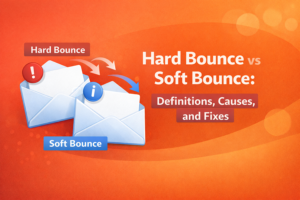
- Hard bounce = “This address is not deliverable.” Think: doesn’t exist, bad domain, permanently blocked.
- Soft bounce = “This delivery attempt failed, but it might work later.” Think: mailbox full, temporary server issue, rate limiting.
Simple mental model:
Hard bounce = bad destination.
Soft bounce = delivery problem.
What is an email bounce, exactly?
An email “bounce” happens when the receiving mail server rejects your email (or can’t accept it). Your sending system records it as a bounce and usually provides a reason, code, or short message.
Bounces matter because they’re not just errors: they’re signals. If you keep hitting bad addresses, mailbox providers can start distrusting your sending behavior.
If you want a broader benchmark guide (and how to get your bounce rate under 2%), you can link this internally:
What Is a Good Email Bounce Rate? Benchmarks + How to Get Under 2%
Hard bounces: definition, common causes, and fixes
A hard bounce usually means the email is permanently undeliverable. Most email platforms treat hard bounces seriously, and you should too.
Common causes of hard bounces
- The email address doesn’t exist (typos, fake emails, old contacts)
- The domain doesn’t exist (e.g., company changed domains, misspelled domain)
- The mailbox is disabled or deleted (someone left a job, account removed)
- Recipient server blocks the address permanently (policy blocks can show as hard bounces in some systems)
What to do when you get hard bounces (the safe rule)
Remove/suppress hard bounces immediately.
Don’t “try again next week.” Don’t keep them “just in case.” Re-sending to hard bounces is one of the fastest ways to keep bounce rate high and harm reputation.
Hard bounce fix checklist
- Suppress the address so it never gets emailed again
- Check for patterns (Did many bounces come from the same lead source?)
- Verify the rest of the list before the next send
- Improve collection (form validation / real-time verification)
Soft bounces: definition, common causes, and fixes
A soft bounce is usually a temporary delivery failure. It doesn’t always mean the address is bad, but it’s still worth paying attention to, especially if it repeats.
Common causes of soft bounces
- Mailbox full (the recipient’s inbox is out of space)
- Temporary server issues (the receiving server is down or busy)
- Rate limiting / throttling (you sent too fast or at high volume)
- Message too large (heavy images/attachments)
- Greylisting (some servers temporarily reject new senders to reduce spam)
- Temporary blocks (reputation/content triggers can cause short-term deferrals)
What to do when you get soft bounces (a practical approach)
Soft bounces are where people either stay calm and handle them smartly… or accidentally create a bigger problem by retrying forever.
Here’s a simple, realistic policy you can follow:
- Soft bounced once? It’s usually okay to try again later.
- Soft bounced repeatedly? Treat it as risky and suppress it (or move it to a “risky” segment).
A common rule many teams use is suppressing after 2-3 consecutive soft bounces, but your email platform may already manage retries automatically. The key is: don’t keep sending indefinitely to the same failing addresses.
Soft bounce fix checklist
- Reduce email size (compress images, avoid attachments)
- Slow down sending if throttling is happening
- Send to your safest segment first (helps reputation signals)
- Review authentication (SPF/DKIM/DMARC) if you control it
- Suppress repeat soft bounces to prevent “slow damage”
- Do not send too many emails in a short time without knowing
How to tell what’s really going on (without becoming a deliverability nerd)
Most platforms provide a bounce reason like:
- “User unknown” / “Mailbox not found”: usually a hard bounce
- “Mailbox full” / “Over quota”: usually a soft bounce
- “Temporary failure” / “Try again later”: usually a soft bounce
- “Blocked”: could be either (depends on whether it’s temporary or permanent)
Tip: Don’t overthink one bounce. Look for patterns:
- Are bounces coming from one specific domain (e.g., all Outlook or all Yahoo)?
- Did bounces spike after you increased volume?
- Did you import a new lead source recently?
Patterns tell you what to fix faster than guessing.
The fastest way to reduce bounces before your next send
If you’re about to launch a campaign and you want the safest “do this first” plan, here it is:
- Clean the file (dedupe + remove unsubscribes/complaints)
- Verify the list so you can remove invalid emails before they bounce
- Segment: send to your safest group first, treat risky groups carefully
If you want the full pre-send process, link this internally:
Email List Cleaning Checklist: The Exact Steps to Do Before You Send
And if you want a beginner-friendly overview of verification, link this too:
Email Verification 101: What It Is, Why It Matters, and How It Works
Prevent bounces at the source (so you’re not always cleaning later)
The best bounce is the one that never enters your list.
Here are a few high-impact prevention moves:
- Use real-time email verification on forms to catch typos and obvious junk
- Consider blocking disposable emails (if it fits your business)
- Use double opt-in if list quality matters more than raw growth
- Re-verify regularly (emails go stale over time)
Want to lower bounces with less guesswork?
If you’re dealing with high bounces, the quickest win is usually verifying your list before sending, then acting on the results instead of emailing everyone anyway.
Reoon Email Verifier can help you verify emails in bulk, identify risky addresses (like catch-all or unknown), and export clean segments, so you can send more confidently without overpromising “perfect deliverability.”
Verify your email list with Reoon
Tip: Start with a small sample (200-500 emails) to quickly check list health before cleaning the entire database.
FAQ
Should I delete hard bounces immediately?
Yes. Hard bounces usually indicate permanent delivery failure. The safest approach is to suppress them so you never email them again.
Are soft bounces bad?
Not always. Soft bounces can be temporary (mailbox full, server busy). The real issue is repeated soft bounces: those can slowly hurt your results if you keep retrying forever.
How many times should I retry soft bounces?
Many platforms retry automatically. A practical rule is to suppress after 2-3 consecutive soft bounces, but the right number depends on your sending platform and list type.
Can email verification prevent all bounces?
No. Some bounces happen for temporary reasons, and some servers don’t reveal enough information for perfect accuracy. Verification is best viewed as risk reduction, not a guarantee.
What if my bounce report says “blocked”?
“Blocked” can be temporary or permanent, depending on the reason. Look for patterns (domains, volume spikes, content) and try sending to your safest segment first while you troubleshoot.