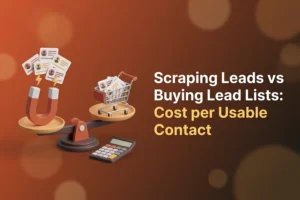
Compare scraping leads vs buying lead lists on sticker price and buying looks like the easy win: one invoice, a file in your inbox an hour later, no software to learn. Count only the contacts you can actually use and the picture flips for most local, category-based B2B outreach. In the worked example below, a bought list of 5,000 records lands at roughly $0.55 per usable contact and a scraped directory list of 5,000 businesses near $0.11, and the gap survives generous changes to the inputs. Buying still wins for niche audiences that no directory covers. Every number here is an assumption you can swap for your own, and the arithmetic is shown in full.
What counts as a usable contact
A lead list is not 5,000 contacts. It is 5,000 rows, and a row only becomes a contact once it passes four tests.
- It exists. The address accepts mail. A bounce (the receiving server rejecting an address as unknown) wastes a send, and enough of them cost you your sender reputation, the trust score mailbox providers keep on your domain.
- It fits. The business is in the category and area you sell to. A roofing company in the wrong state is a row, not a lead.
- It is reachable on your channel. A record with a phone number and no email is fine for calls and useless for an email campaign.
- It arrives clean. Nobody else has hammered the same addresses for years, and the file hides no spam traps, which are addresses that exist only to catch senders who mail people they never had contact with.
Cost per usable contact is total spend divided by the rows that pass all four. Sticker price divided by row count flatters whichever option sells the biggest file.
Scraping leads vs buying lead lists: the assumptions
Nothing in this table is a market statistic. Each figure is a working assumption pitched at a plausible middle; overwrite it with numbers from your own last campaign.
| Input | Bought list | Scraped directory list | Why this figure |
|---|---|---|---|
| Records | 5,000 | 5,000 businesses | Same size |
| Purchase price | $0.30 per record, $1,500 total (assumption) | none | Lists sell from pennies to over $1 per record |
| Tooling | none | $27, one month of Reoon YellowPages Scraper Ultimate (product-page price at time of writing) | One month covers 5,000 records |
| Your time | 1 hour to buy and import (assumption) | 6 hours to set up searches, run the crawler, dedupe and spot-check (assumption) | Scraping is hands-on |
| Value of your time | $30 per hour (assumption) | $30 per hour (assumption) | Use your own rate |
| Verification | $5 per 1,000 addresses (a placeholder rather than any provider’s price) | same placeholder | Both lists get verified |
| Duplicates | 5% (assumption) | 8% (assumption) | Chains appear under several directory categories |
| Rows with no email | 0% | 45% (assumption) | Directories list emails for only some businesses |
| Dead or bouncing after verification | 25% (assumption) | 15% (assumption) | Resold data ages; directory data is newer |
| Off-target | 20% (assumption) | 10% (assumption) | You set category and area yourself |
If your gut says one of these is wrong for your market, change it. The method matters more than the defaults.
The worked example, step by step
Both funnels start at 5,000 rows and remove failures in the same order: duplicates, rows without an email, addresses that fail verification, off-target records.
| Step | Bought list | Scraped list |
|---|---|---|
| Starting rows | 5,000 | 5,000 |
| After removing duplicates | 4,750 | 4,600 |
| After removing rows with no email | 4,750 | 2,530 |
| After removing dead addresses | 3,563 | 2,151 |
| After removing off-target records | 2,850 usable | 1,936 usable |
Now the money.
| Cost line | Bought list | Scraped list |
|---|---|---|
| Purchase | $1,500 | $0 |
| Tooling | $0 | $27 |
| Your time | $30 | $180 |
| Verification (placeholder rate) | $24 for 4,750 addresses | $13 for 2,530 addresses |
| Total | $1,554 | $220 |
| Cost per usable contact | $0.55 | $0.11 |
The bought list delivers more usable contacts, 2,850 against 1,936, because every row arrives with an email. It also costs about five times more per contact you can actually mail. The 2,070 scraped rows without an email are not waste: they still carry a phone number and street address for a calling or postal campaign.
Change the inputs and watch what moves
Two adjustments people usually make.
A bargain list. Drop the price to $0.05 per record ($250) and the bought column falls to about $0.11 per usable contact, level with scraping. Except that cheap resold files are the ones with the worst dead-address shares, so if you lower the price, raise the 25% too. At 50% dead, the same $250 list ends up around $0.16.
Your time is worth more. At $100 per hour, scraping’s six hours cost $600, the total becomes $640, and cost per usable contact rises to about $0.33. Still below the bought list’s $0.57 at the same rate, but for a one-off list of a few hundred contacts learning a tool may not pay.
The costs that never appear on the invoice
Both options also carry costs that never become a per-contact figure.
With a bought list
You do not know where the data came from. Provenance, the record of how and when each address was collected, is the one thing sellers almost never provide, and it predicts bounce and complaint rates. The same file has usually been sold to other buyers, so a share of those inboxes already treat unfamiliar senders as spam. Spam traps tend to concentrate in resold data, because traps are planted where harvesters collect. And there is no consent trail: nobody on the list asked to hear from you. The deliverability side is covered in the real costs of buying email lists.
With a scraped list
Time is the obvious one. Beyond that, the raw export needs work before it is a mailing list. Many listings carry no email, so you depend on enrichment, meaning adding missing fields from another source such as the business’s own website. Everything has to be verified, because a directory shows what a business typed in two years ago, not whether the mailbox still exists. Some directories are better maintained than others, and some categories (restaurants, small trades) churn fast. And published business contact details are there for business inquiries, so treat them that way: relevant offers to businesses that plausibly want them.
When buying is the better call
Honest answer: sometimes it is.
- Very niche audiences. If you sell to compliance officers at mid-size pharmaceutical firms, no Yellow Pages category will find them. A specialist data vendor with named contacts and job titles will.
- Enterprise data with intent signals. Some vendors sell records enriched with technographics (which software a company uses) or buying-intent data. You cannot scrape that from a directory.
- Speed for a genuine one-off. One campaign, this week, no appetite for a new tool: a reputable vendor with a bounce refund policy is defensible, as long as you still verify the file.
Reputable is the key word. Ask for the collection date, bounce refund terms, and whether the file is exclusive to you. Silence on all three is its own answer.
When scraping wins
- Local businesses in a defined category and area. Dentists in Leeds, HVAC contractors in Phoenix, cafés in Zurich. Directories are organized around exactly these two dimensions, and you set both yourself.
- An ongoing need. Agencies and freelancers who prospect every month pay the same license for 500 records or 50,000, while a bought list repeats its price every time. This decides the question more often than any other input.
- Control over freshness. You know the collection date because you chose it. Re-run the search next quarter and the list is current again.
- Multi-channel outreach. Phone, address and website come with every record, so a business without an email still has a use.
For directories against maps-based sources, Yellow Pages vs Google Maps for leads covers where each is stronger.
A workflow that keeps the usable share high
The scraped column only wins if you actually do the cleanup. Skip it and you have bought yourself a bounce problem for $27.
- Define the target before you open any tool. One category or a short list of related ones, plus a specific area. The tighter this is, the lower your off-target share.
- Collect the records. Reoon YellowPages Scraper is a desktop app for Windows and Mac that pulls 18 fields per listing, including phone, full address, website and the email where the directory lists one, from Yellow Pages directories in the US, UK, Canada, Germany, Switzerland and India, with limited support for Australia. The free version has daily limits on searches and exports; the Ultimate plan removes them for $27 a month at the time of writing. Exports go to CSV or Excel. Step by step: how to get leads from Yellow Pages.
- Run the built-in website crawler. It visits each business’s website and picks up emails, phone numbers and social profiles the listing left out. How much of the no-email gap it closes depends on how many businesses in your category publish a contact address.
- Deduplicate. Sort by phone number and website, since chains and multi-category listings repeat both.
- Verify every address. Upload the CSV to Reoon Email Verifier and remove the invalid, disposable and spam-trap results before anything is sent. You get free verification credits every day, no card required, so you can test a sample of your scrape before committing to anything. The full cleanup routine is in how to clean a scraped email list.
- Send small and watch the numbers. Your first batch tells you whether your assumptions held. If bounces run above a couple of percent, stop and revisit the verification step.
Run the same six steps on a bought list and the arithmetic works there too. Verification does not rescue a bad purchase, but it tells you within an hour what you actually paid for. If a list is sitting on your drive right now, scraped or bought, the quickest reality check is to verify a sample of it with Reoon’s free daily credits and see how many rows survive.
FAQ
Is it cheaper to scrape leads or buy a lead list?
Per usable contact, scraping usually comes out lower for local businesses in a defined category and area, because the tooling cost is fixed and you control the targeting. In the worked example above, a scraped list came to roughly $0.11 per usable contact against $0.55 for a mid-priced bought list. Change the assumptions and the gap moves, but bought lists rarely close it for repeat campaigns.
What does cost per usable contact mean?
It is the total you spent divided by the number of contacts that exist, fit your target, are reachable on your channel, and did not arrive with reputation risk. Sticker price divided by row count ignores dead addresses, duplicates and off-target records, so it understates the real cost. This is the figure that predicts what a campaign actually returns.
Do scraped leads need to be verified before emailing?
Yes, every time. A directory shows what a business entered, possibly years ago, and gives no signal about whether the mailbox still accepts mail. Running the export through an email verifier removes invalid, disposable and spam-trap addresses before they can damage your sender reputation. The same rule applies to bought lists; verification is the one step neither source lets you skip.
When is buying a lead list the right choice?
When your audience cannot be found by category and location: specific job titles inside larger companies, niche industries with no directory presence, or records enriched with intent or technology data. It also suits a genuine one-off where learning a tool is not worth the hours. Buy from a vendor who states the collection date and refunds bounces, and verify the file before sending.